
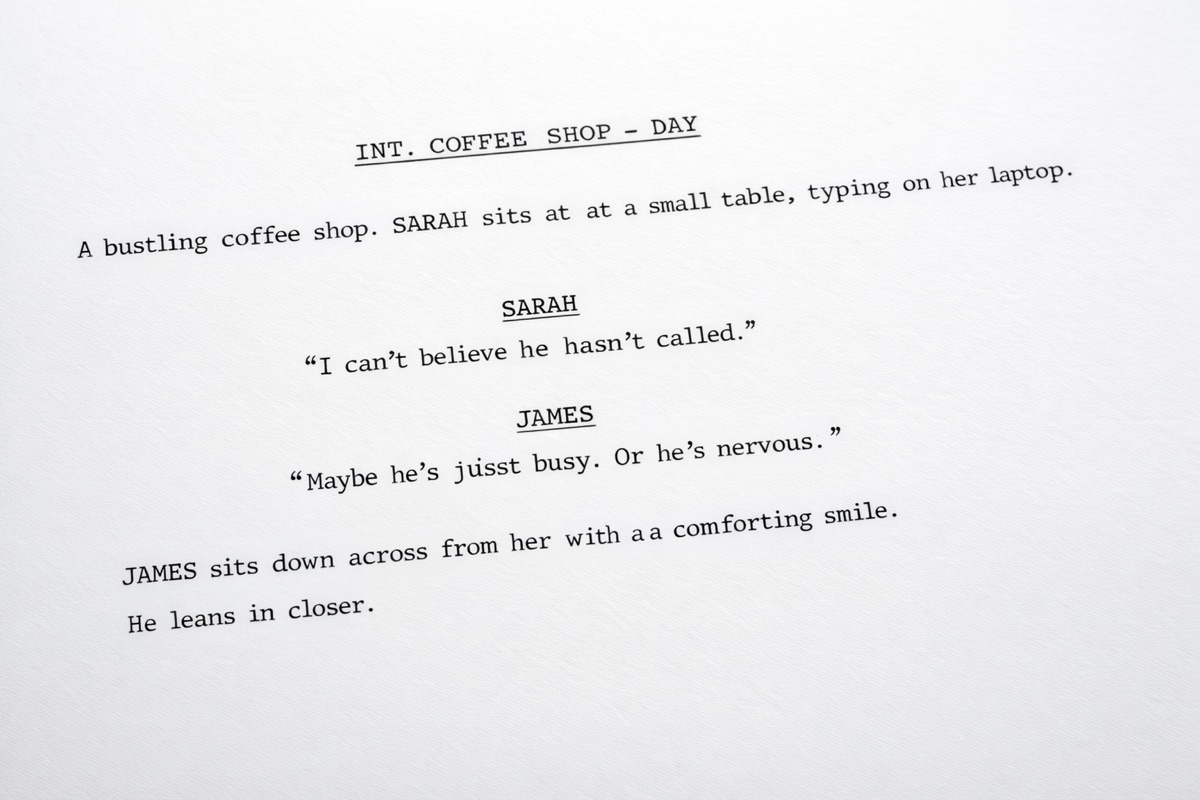
Screenplay format explained: a visual guide
Screenplay format is mostly about clarity. It lets anyone reading the script, director, actor, producer, assistant, know what they are looking at right away. It also creates the rough page-to-screen-time convention people use when sizing up a project: about one page per minute, give or take.
You do not need to memorize every measurement before you start writing, but you do need to understand the basic elements.
The title page
A standard title page includes:- The title, centered and in caps
- “Written by” and your name
- Contact details, usually in the lower left corner
Scene headings
Every scene starts with a heading that identifies location and time of day.INT. COFFEE SHOP - DAY EXT. PARKING GARAGE - NIGHT INT. means interior,
EXT. means exterior, and
INT./EXT. is used when a scene spans both.
Action lines
Action lines describe what the audience can see and hear. Keep them in the present tense and keep them moving.Sarah pushes through the revolving door, coffee in one hand, phone in the other. She nearly collides with a man in a gray suit. Character names
When a character speaks, their name appears in caps above the dialogue. SARAH Sorry, didn’t see you there. Dialogue
Dialogue sits beneath the character name and takes up a narrower block than action. Keep it readable. On the page, long speeches look longer than you think.Parentheticals
Parentheticals sit between the character name and the dialogue. SARAH (whispering) Sorry, didn’t see you there. Transitions
Transitions such asCUT TO: or
FADE OUT. are written in caps and aligned to the right. In most modern scripts, they are used sparingly. The change from one scene heading to the next already implies a cut.
The exact spacing
This is the part software is good at. Standard screenplay format uses fixed margins and positions for each element:- Left margin: 1.5 inches
- Right margin: 1 inch
- Top and bottom margins: 1 inch
- Dialogue left margin: 2.5 inches
- Dialogue right margin: 2.5 inches
- Character name: 3.7 inches from the left edge
- Parenthetical: 3.1 inches from the left edge
- Font: 12-point Courier
Formatting with Plotten
Plotten handles screenplay formatting as you type:- Scene headings are recognized and formatted automatically
- Character names, dialogue, action, and parentheticals each keep their correct placement
- Export to FDX or PDF preserves the structure for sharing
A note on page count
Page count matters because people use it as a rough indicator of runtime. A feature script often lands somewhere around 90 to 120 pages. Half-hour and hour-long television scripts follow their own typical ranges depending on format and market.The exact number is less important than the point behind it: correct formatting helps everyone read the scope of the project properly.
Plotten is available on the App Store if you want screenplay formatting handled in the editor.